

Archiving conversations in app.chitchatbot.ai is a smart way to keep your inbox clean and organised. Whether you’re decluttering active chats or storing important interactions for later, archiving makes it easy to manage your workspace. This step-by-step guide will walk you through the archiving process, plus offer practical tips, best practices, and how to view archived conversations.
💡 Note: When you archive a conversation, it’s hidden from your active inbox. If the contact sends a new message, the conversation will automatically unarchive and reappear in your active list.
Why Archive Conversations?
Archiving conversations offers several benefits:
✅ Stay Organised: Keep your inbox clutter-free by moving inactive conversations out of view.
✅ Maintain Focus: Limit distractions by showing only active interactions.
✅ Preserve Data: Store important conversations for future reference without deleting them.
How to Archive or Unarchive a Conversation
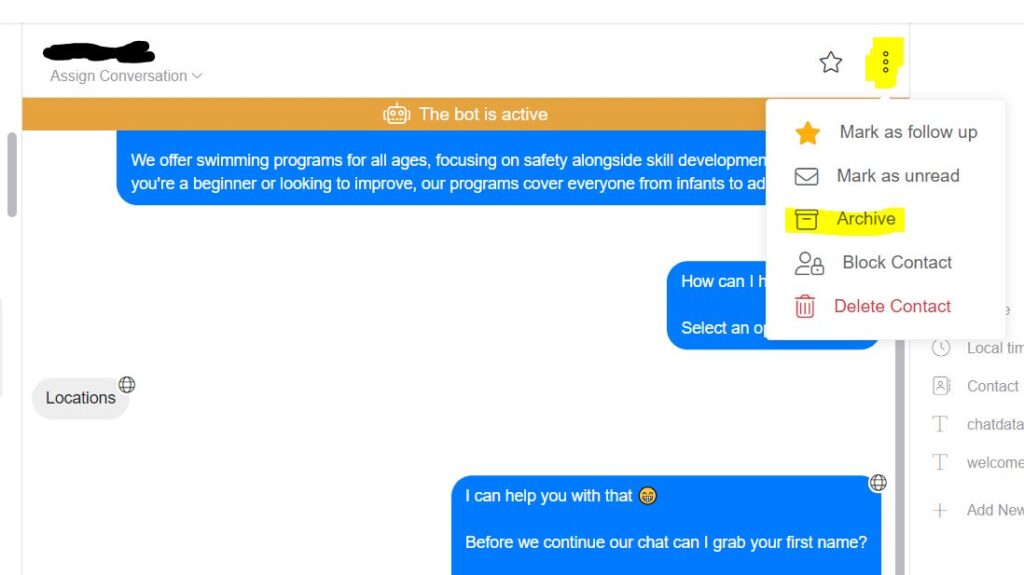
Option 1: Archive from the Inbox
- Go to the Inbox.
- Select the conversation you want to archive.
- Click on the Menu icon.
- Choose Archive to move the conversation out of your active list.
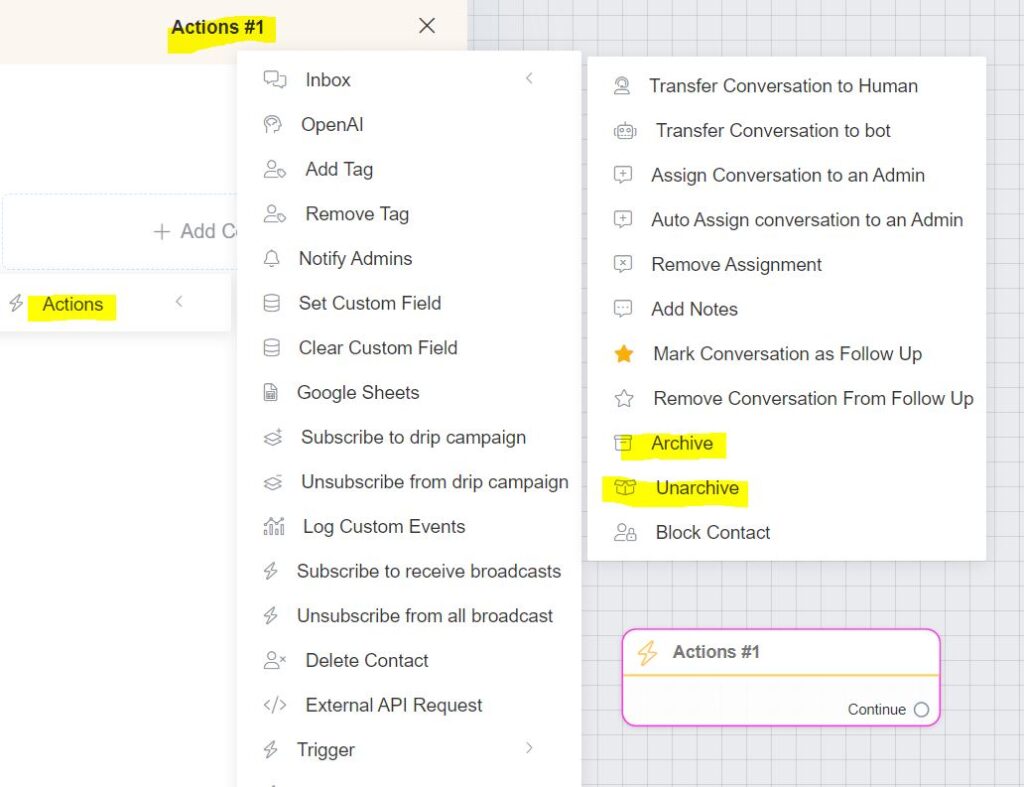
Option 2: Archive or Unarchive via the Flow Builder
- In the Flow Builder, create or edit your chatbot flow.
- Add an Action block.
- Choose Inbox > Archive to automatically archive conversations.
- You also have the option to Unarchive conversations using the same Action block — this can be helpful for reactivating conversations within automated workflows.
How to View Archived Conversations
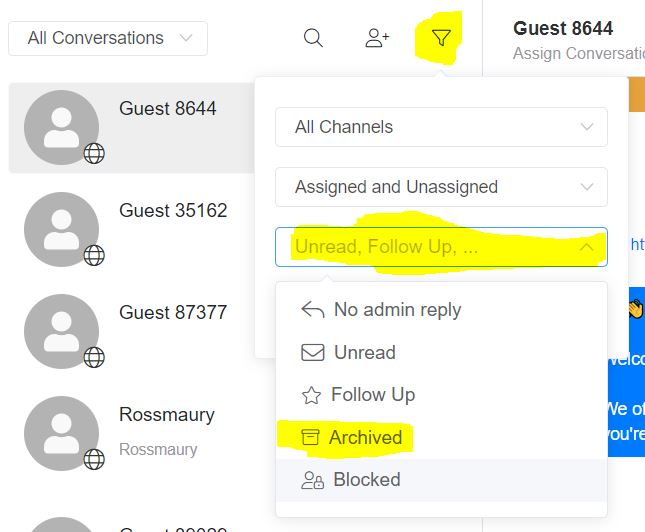
To locate and view archived conversations:
- Go to the Inbox.
- Click on the Filter icon.
- Under the third dropdown (Message Status), select Archived.
This filter will display all conversations you’ve previously archived.
Real-World Use Cases
Here’s how archiving can help in different scenarios:
📞 Customer Support: Archive resolved tickets to keep your active queue tidy.
💼 Sales & Leads: Store conversations with inactive leads to revisit them later if needed.
📝 Feedback & Reviews: Keep conversations with feedback accessible without cluttering your active chats.
Expert Tips for Archiving
💡 Use Filters
After archiving, use the Archived Conversations filter to easily locate past conversations.
💡 Bulk Archive
If you have several conversations to archive, use the bulk selection feature to save time. You can select multiple contacts within your “Contacts” section > Select multiple contacts> Click Actions > More Options > Select Archive.
💡 Regular Reviews
Set a weekly or monthly schedule to review and archive old conversations — keeping your workspace clean and manageable.


