Enhance your omnichannel strategy with the powerful integration of chitchatbot.ai and ActiveCampaign. By combining email marketing with chat marketing automation, you can unlock a wealth of new opportunities to engage with your audience.
Integrate ActiveCampaign with chitchatbot.ai
Step 1: Navigate to Settings and select Integrations from the menu.

Step 2: Find ActiveCampaign Integration and input your API URL and API Key to proceed.Step 3: For guidance on obtaining your ActiveCampaign API URL and Key, refer to this help article.Step 4: Once completed, your ActiveCampaign account will be successfully connected to chitchatbot.ai.
You will be able to start leveraging the synergy between email and chat marketing instantly.
ActiveCampaign Actions & Operations
Once you have successfully added your ActiveCampaign API credentials, the app will be listed/visible within our actions.
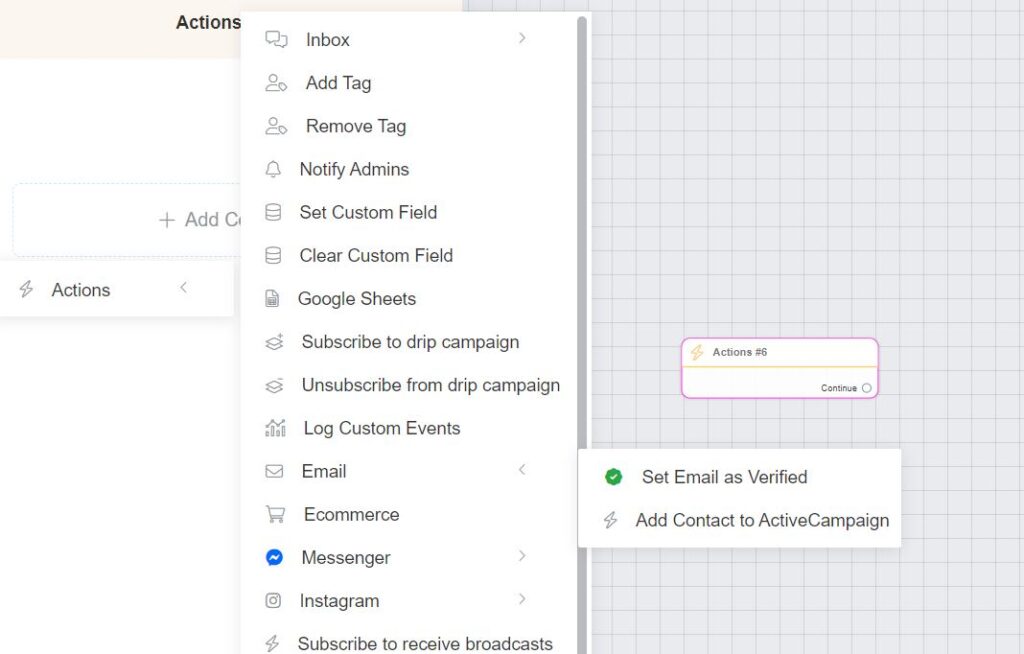
Step 1: In your flow, create an action, in an existing message block or on its own node.
Step 2: Navigate to email and select “Add Contact to ActiveCampaign”
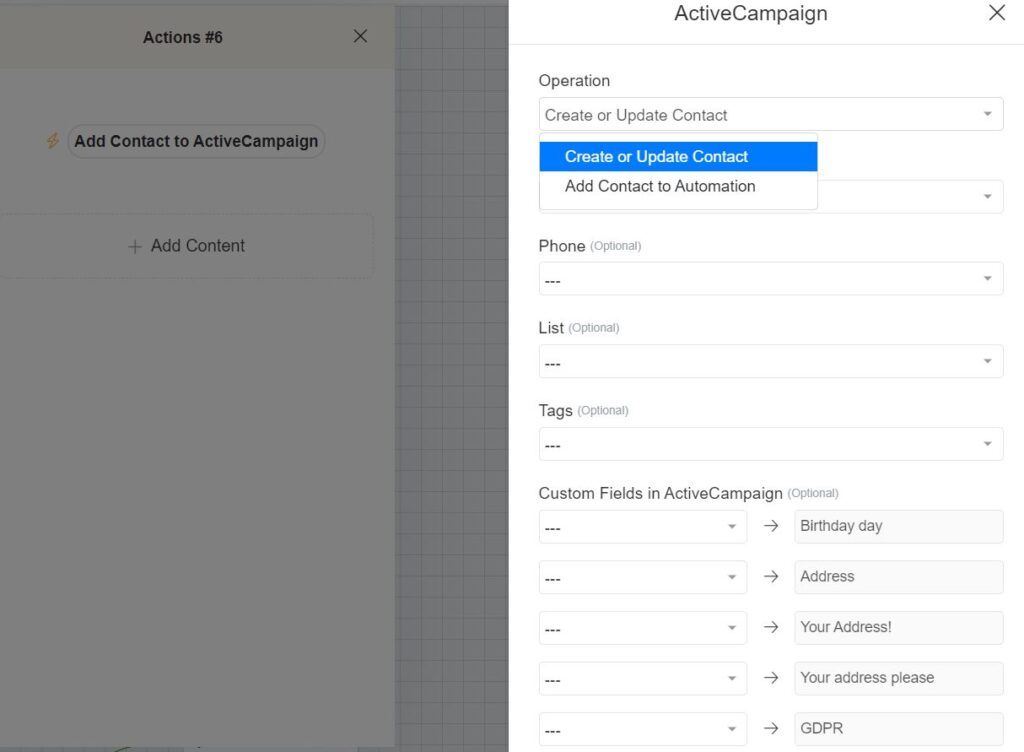
Step 3: You can select your operation, create or update a contact or add a contact to automation.
Step 4: Add the email (required) you want to add or lookup. You can select our Email system field (most common) or you can select a custom field email if you have created one.
Step 5: Add the optional fields (phone, list, tags) and sync any ChitChatBot.ai custom fields with your custom fields in ActiveCampaign