This guide walks you through how to edit an image using the Google Gemini integration inside Chitchatbot.ai. Whether you’re modifying a user-uploaded image or enhancing visuals through automation, Google Gemini makes image editing fast and intelligent.
🔗 Step 1: Connect Google Gemini
Before using the image editing feature, make sure your Gemini integration is set up:
-
Log in to your Chitchatbot.ai account.
-
Go to Settings > Integrations > Google Gemini.
-
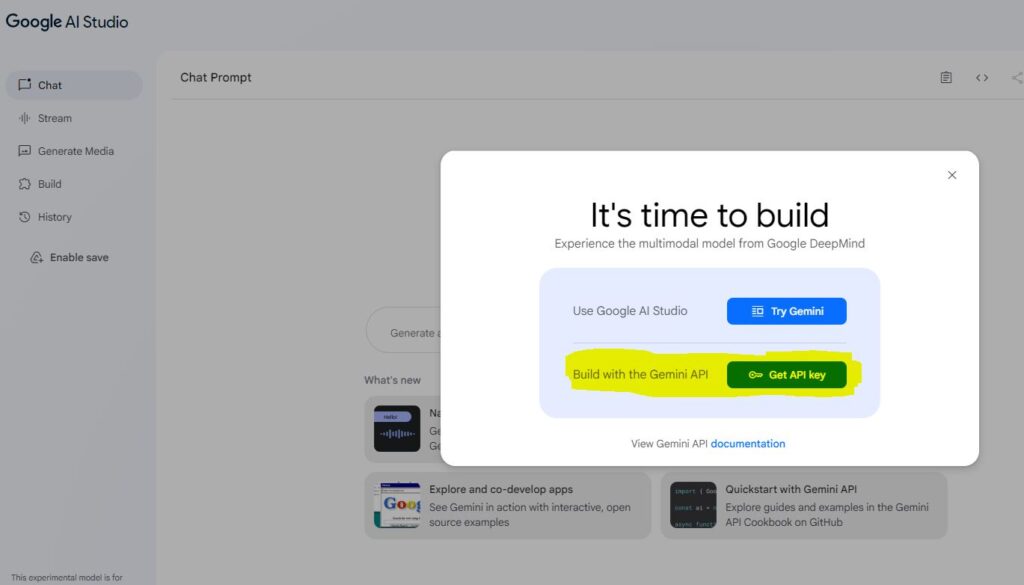
Click Connect and enter your Gemini API Key.👉 Don’t have one? Get it from: https://aistudio.google.com/app/prompts/new_chat
-
Click Continue.
⚠️ For image generation/editing, other fields like “Prompt” in the integration setup are not required. Make sure you uncheck “automated responses” under your Google Gemini settings once you’ve added your API key, otherwise this AI setup may respond to all user messages automatically.
🎯 Step 2: Use Google Gemini in the Flow Builder
To use Gemini for image editing inside a flow:
-
Go to Flows > Add Action
-
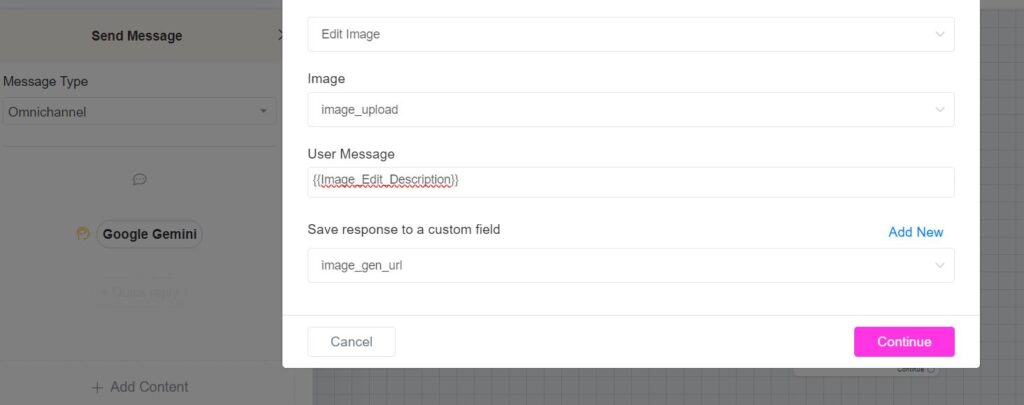
Select Google Gemini > Edit Image
Configure the Edit Image Action:
-
User’s MessageAdd the instruction the user provides (e.g., “Make the image black and white”)
-
ImageChoose the image to be edited (upload or reference an existing one).
-
Output MessageSelect a custom field to save the edited image. This will be used later to display the result in an Image block.
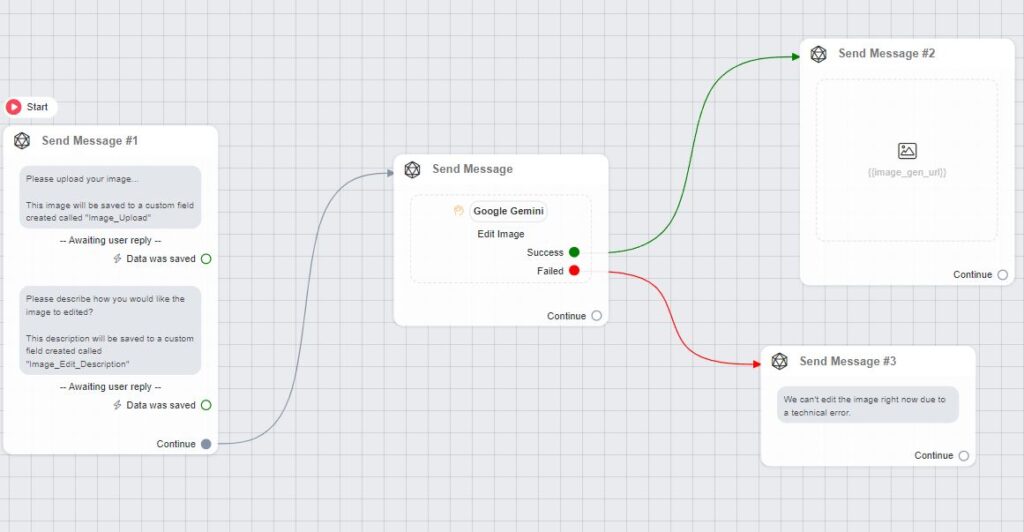
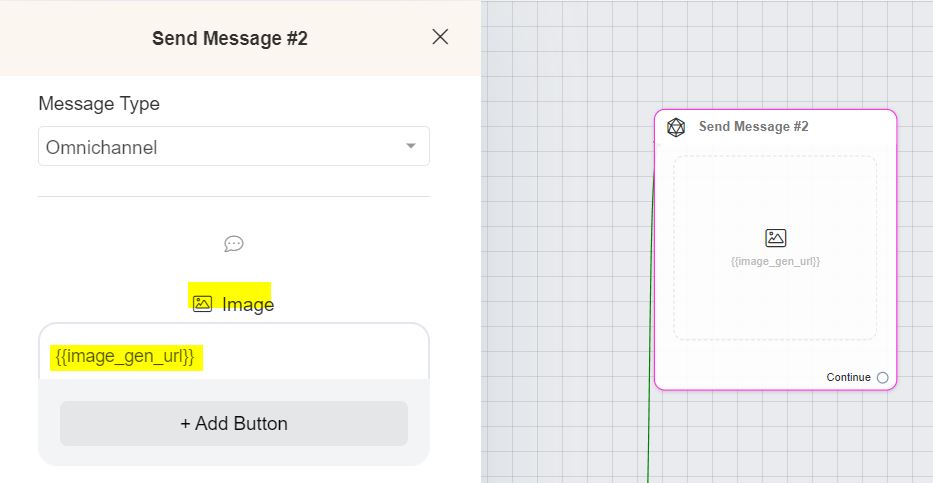
📌 Use the saved custom field in your Image block to show the edited image back to the user.
✅ Success & ❌ Failure Nodes
The Google Gemini – Edit Image action includes built-in handling for both outcomes:
-
Success NodeTrigger actions when the image is successfully edited (e.g., display the result, send confirmation).
-
Failed NodeTrigger fallback actions if editing fails (e.g., display an error message or ask the user to try again).
-
Errors – If you are having issues be sure to check the logs (Flows > Logs), some AIs (using APIs) are blocked in certain countries due to specific regulations. Additionally, some image generation functionalities may be restricted or blocked, especially related to human figures, due to safety considerations and ongoing development. Lastly, check you have funds on your Google Cloud account.