ChitChatbot.ai makes it easy to log in using your Google, Facebook, Microsoft, or email account.
Connect an Account
To connect an account to your ChitChatbot.ai profile:
-
Click on the top-right corner profile icon.
-
Go to My Profile > Login Accounts.
-
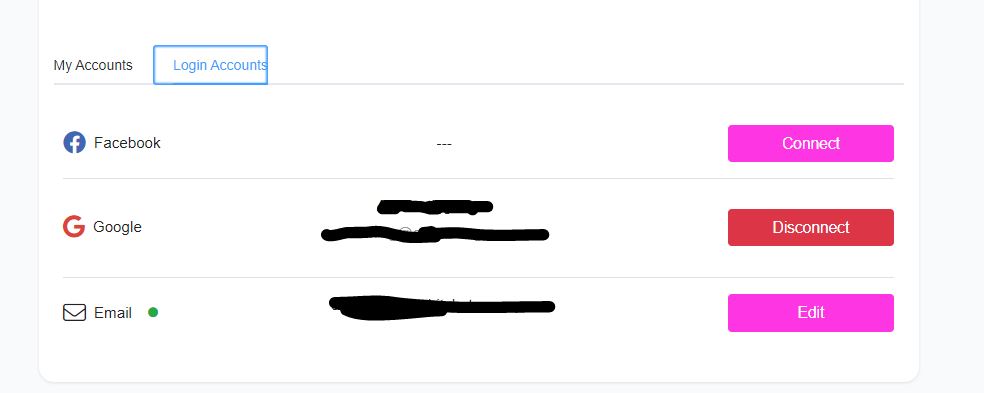
You’ll see a list of accounts available to connect or manage.
-
The green dot indicates the account you’re currently logged in with.
-
For example, if you’re logged in with Facebook, you can only connect/disconnect/edit Google or email accounts. The Facebook account will be greyed out (you can’t disconnect the account you’re currently using).
Managing Your Accounts
✅ To connect a Google or email account:
- Click on the Connect button next to the account type.
✅ To disconnect your Google account:
- Click on the Disconnect button.
✅ To remove or change the connected email account:
- Click on Edit.
✅ To disconnect or change the Facebook account:
-
Log in to ChitChatbot.ai using a Google or email account first (since you can’t disconnect the account you’re currently using).
-
Go to My Profile > Login Accounts.
-
Click Disconnect next to the Facebook account.