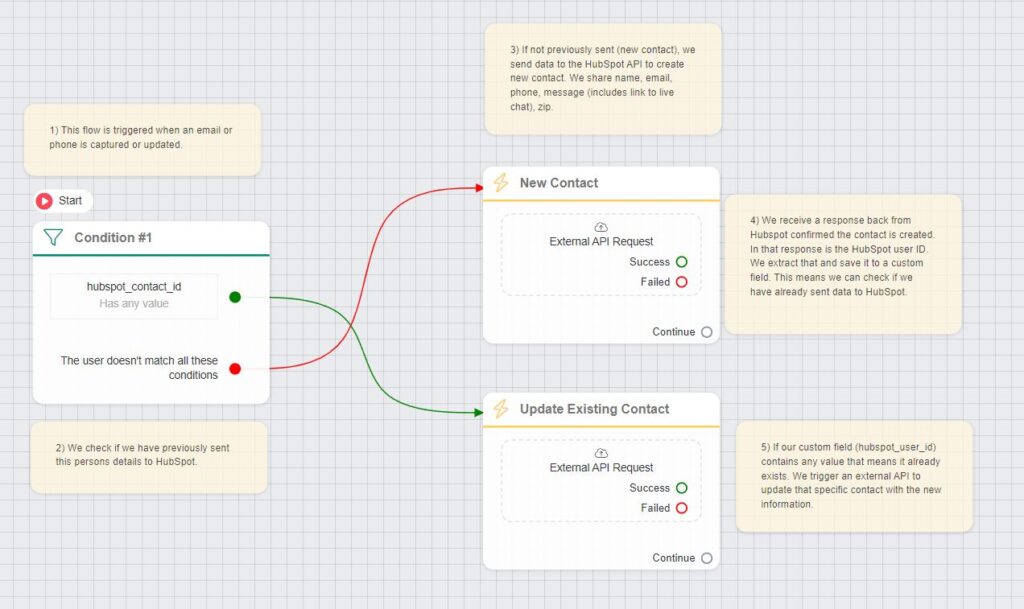
HubSpot is a widely used CRM platform that many businesses rely on, even though ChitChatBot.ai also offers a built-in CRM with pipeline management. If you prefer to integrate with HubSpot, you can easily do so using our External API Request feature. Here’s how to set it up:
Step 1: Create a Private App in HubSpot
-
In HubSpot, create a Private App to generate a token that ChitChatBot.ai can use to add and edit contacts.
-
Save the Private App Token—you’ll need it in the next steps.
Step 2: Configure the External API Request in ChitChatBot.ai
- In your Flow Builder, click on:Actions > External API Request
Step 3: Set Up the Request
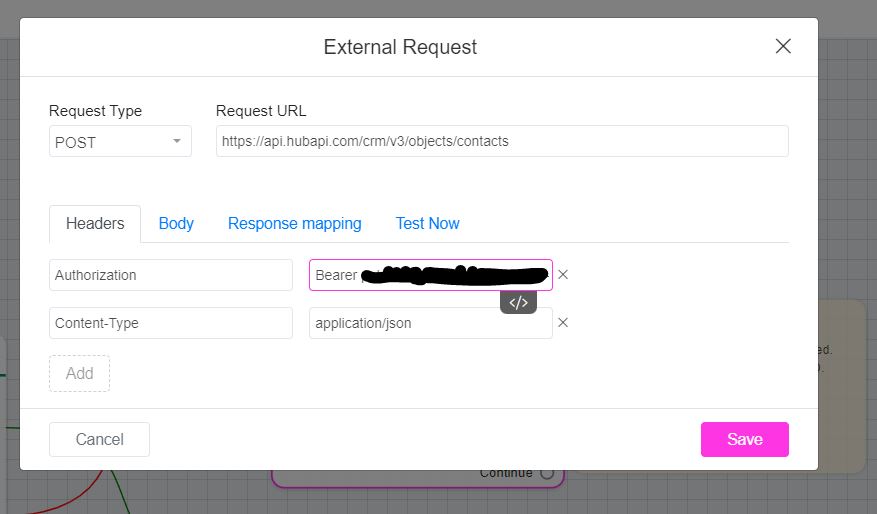
- Headers:
Authorization: Bearer xxxx-your-private-app-token-xxxx
-
Content-Type: application/json -
Request Type:
POST -
Request URL:
https://api.hubapi.com/crm/v3/objects/contacts
Step 4: Build the Request Body
-
Use JSON format for the request body.
-
Add the necessary fields using ChitChatBot.ai placeholders to dynamically map contact data.
Example:
json{ "properties": { "email": "{{email}}", "phone": "{{phone}}", "firstname": "{{first_name}}", "lastname": "{{last_name}}", "message": "This is a lead from ChitChatBot.ai." }}Step 5 (Optional): Handling the Response for Updates
-
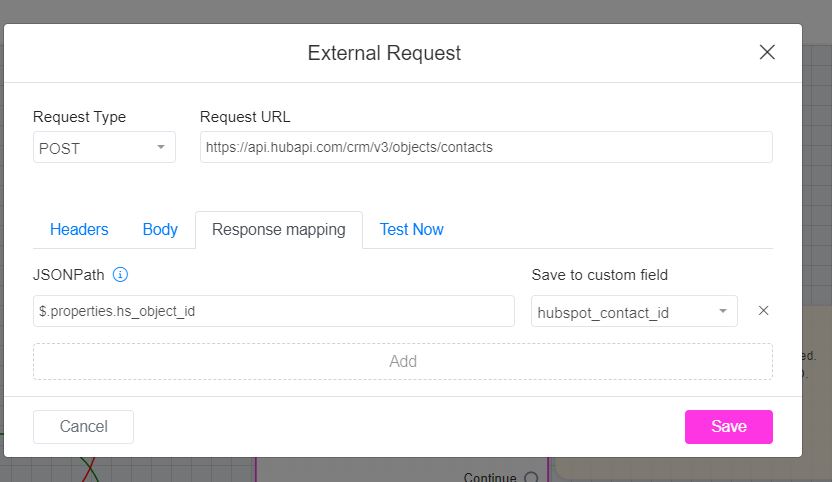
When HubSpot receives the request, it sends back a JSON response that includes the new contact ID.
-
Extract the contact ID from the response and map it to a custom field in ChitChatBot.ai (make sure you create this custom field first).
-
Later, to update existing HubSpot records, you can:
Set up a similar external request, but with:
Request Type: PATCH
-
Request URL:
https://api.hubapi.com/crm/v3/objects/contacts/{{hubspot_contact_id_custom_field}} -
Check if that custom field (hubspot contact ID) is populated.
This setup enables seamless integration between ChitChatBot.ai and HubSpot, allowing you to manage leads efficiently while maintaining your existing CRM workflows. If you’d like help setting up custom fields or mapping additional data, let me know!