To ensure optimal performance and compatibility across messaging channels, here are the recommended file size guidelines:
Video & Audio Files
-
Maximum file size: 25MB
-
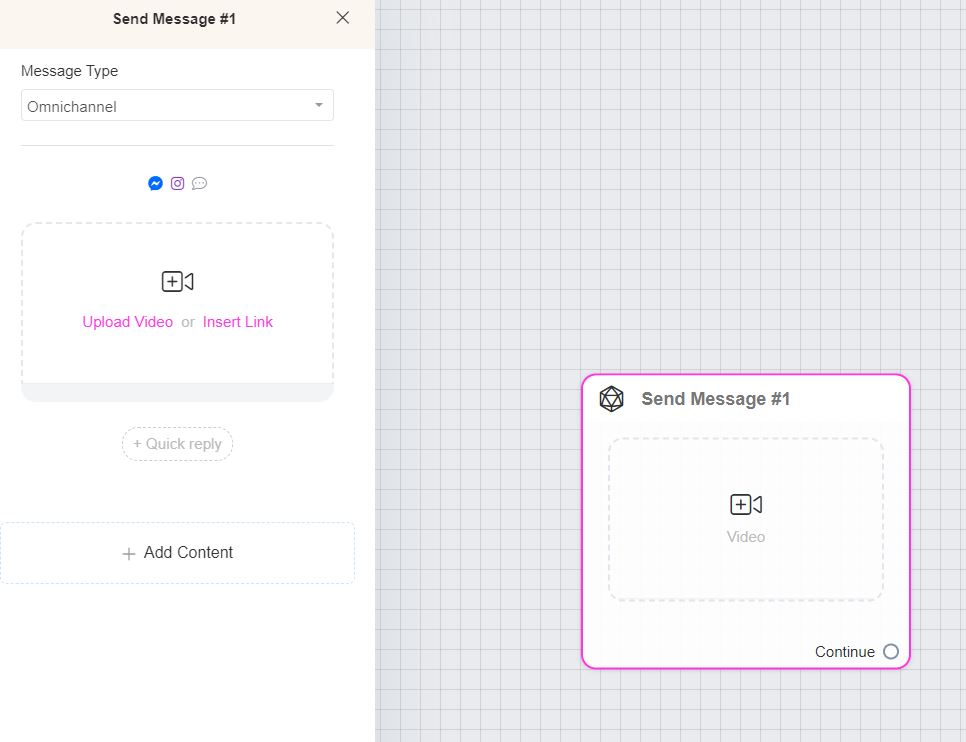
If your video or audio file exceeds 25MB, upload it externally (e.g., to a hosting platform) and use the URL in the Video Block within the Flow Builder (+ Add Content > Video).
-
Keep videos and audio files optimized for faster loading and better user experience.
Files (Documents, PDFs, etc.)
-
Maximum file size: 25MB
-
Upload any file format (PDF, DOC, XLS, etc.) as long as it does not exceed this limit.
Images & GIFs
-
Typical size limit: 5MB–10MB, depending on the messaging channel.
-
Note: Not all messaging channels support GIFs.
-
Always optimize images and GIFs for faster loading and to improve the user experience.
Channel-Specific Limits
-
Platforms like WhatsApp have their own limits (e.g., 16MB for media).
-
For Messenger and other channels, adhere to their respective media size limits.