

MCP servers allow AI agents to connect with external systems and data sources, enabling them to perform advanced tasks.
For example:
- A Shopify MCP server lets your AI Agent access products and customer details from your Shopify store in real time.
- Any system that supports MCP can integrate with your AI Agent automatically—no custom coding required.
1. Add an MCP Server
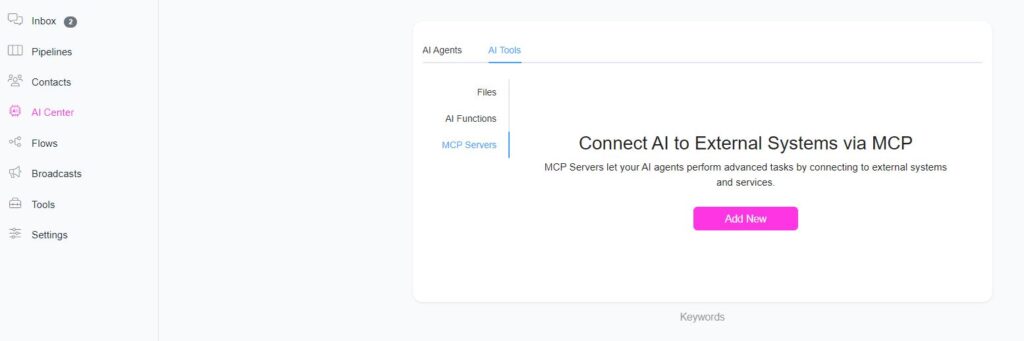
- Go to AI Center → AI Tools → MCP Servers.
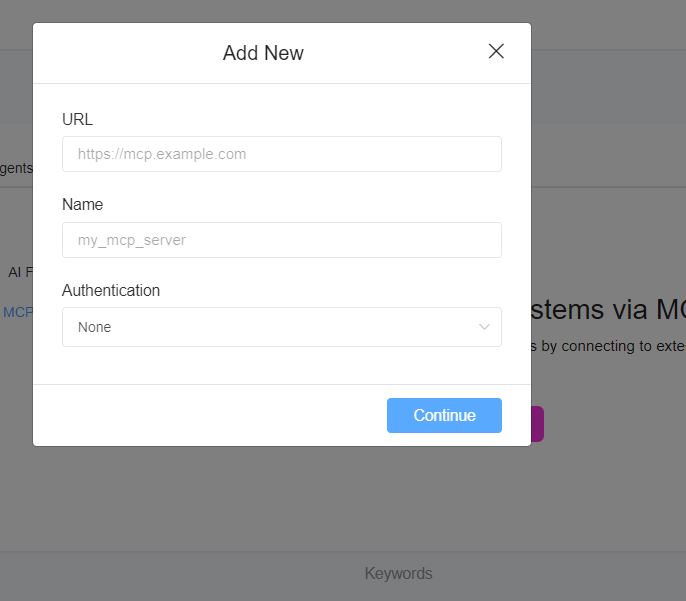
- Click Add New.
- Provide the required MCP server details:
- MCP URL
- Authentication type (if required)
2. Attach MCP Server to an AI Agent
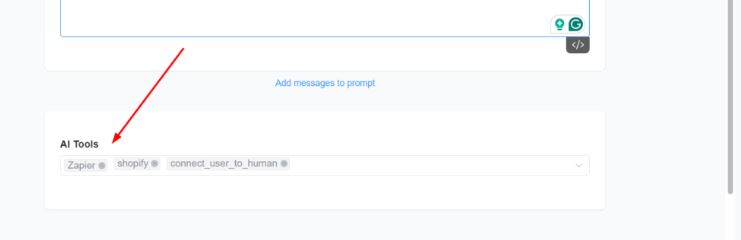
- Edit the AI Agent you want to connect.
- In the AI Tools section, select the MCP server you just added.
3. Popular MCP-Compatible Services
Some well-known services with MCP support include:
- Zapier
- Make
- Shopify
- Stripe
- WooCommerce


