
Encouraging your users to refer their friends to your chatbot is one of the most effective ways to grow your contact list. ChitChatBot has a built-in referral system that automatically tracks referrals and triggers specific actions when a user successfully refers a new or existing contact.
🔔 Note: A user cannot refer themselves.
Steps to Set Up Your Referral System
1️⃣ Create a Shareable Referral Link
To track referrals, you need to create a unique shareable link for each user.
Let’s use WebChat as an example, but the same steps apply to all supported channels (Facebook, Instagram, etc).
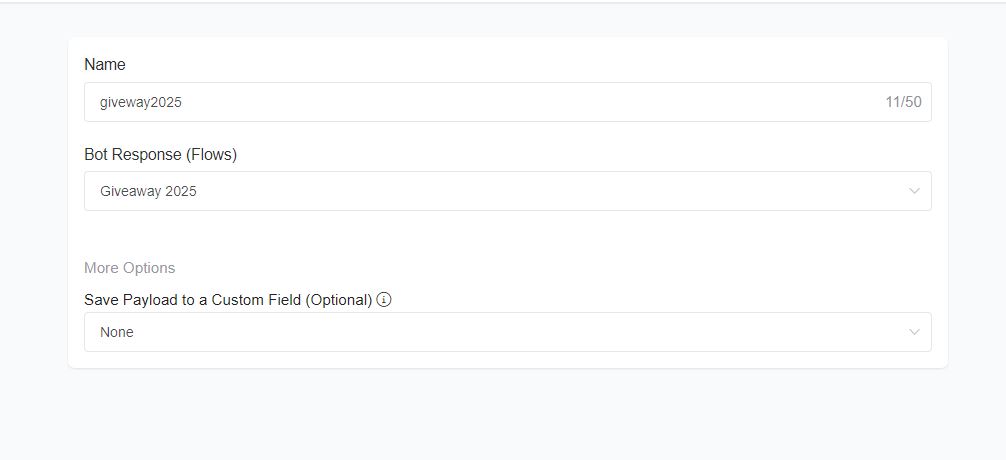
✅ Suppose your Entry Point Link is:
https://app.chitchatbot.ai/webchat/?p=xxx-account-id-xxx?ref=giveaway2025
✅ To make it unique for each user, append -c{{user_id}} to the end:
https://app.chitchatbot.ai/webchat/?p=xxx-account-id-xxx?ref=giveaway2025-c{{user_id}}
Here’s what’s happening:
giveaway2025is your referral campaign name.{{user_id}}is dynamically replaced with the current user’s ID.
2️⃣ Share the Referral Link
Your chatbot should send this unique referral link to users, so they can easily share it with their friends.
3️⃣ Track Referrals and Reward Users
When a new contact joins via a referral link, ChitChatBot automatically fires one of these triggers:
- User referred a new contact
- User referred an existing contact
To configure these, go to:
Menu > Tools > Triggers & Actions
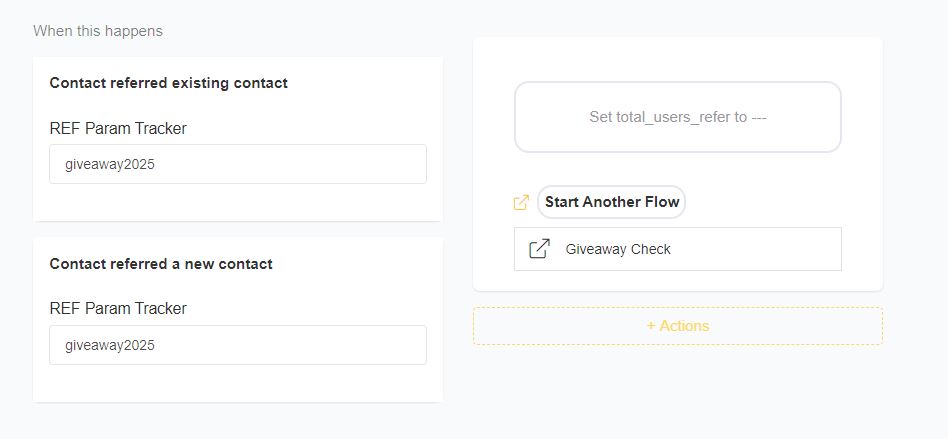
Increase Points and Trigger Rewards
Each time a referral is successful, you typically increase (not set) a custom field that stores the user’s points.
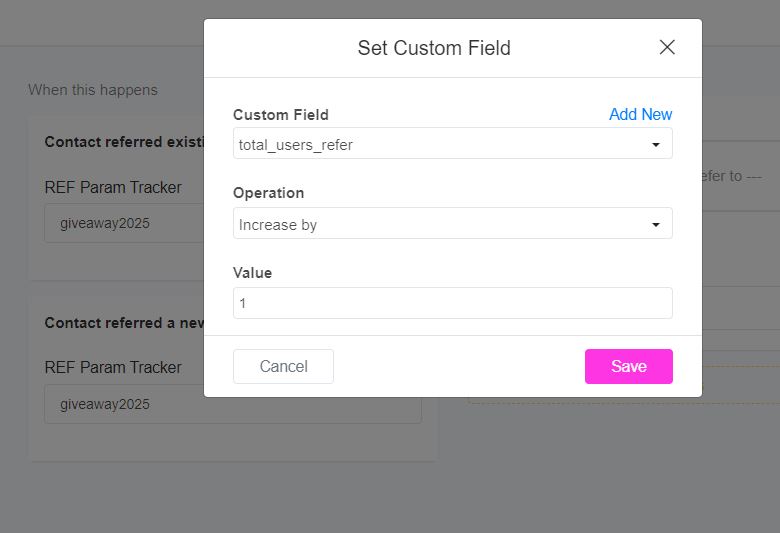
For example, if your custom field is called total_users_refer, you will increment its value by 1.
➡️ To do this:
- In your flow, click +Action.
- Choose “Set Custom Field”.
- Set it to increase the points field by 1 (not to overwrite it!).
Check and Reward Users
Next, create a separate flow that checks if the user’s total points meet the required threshold for a reward.
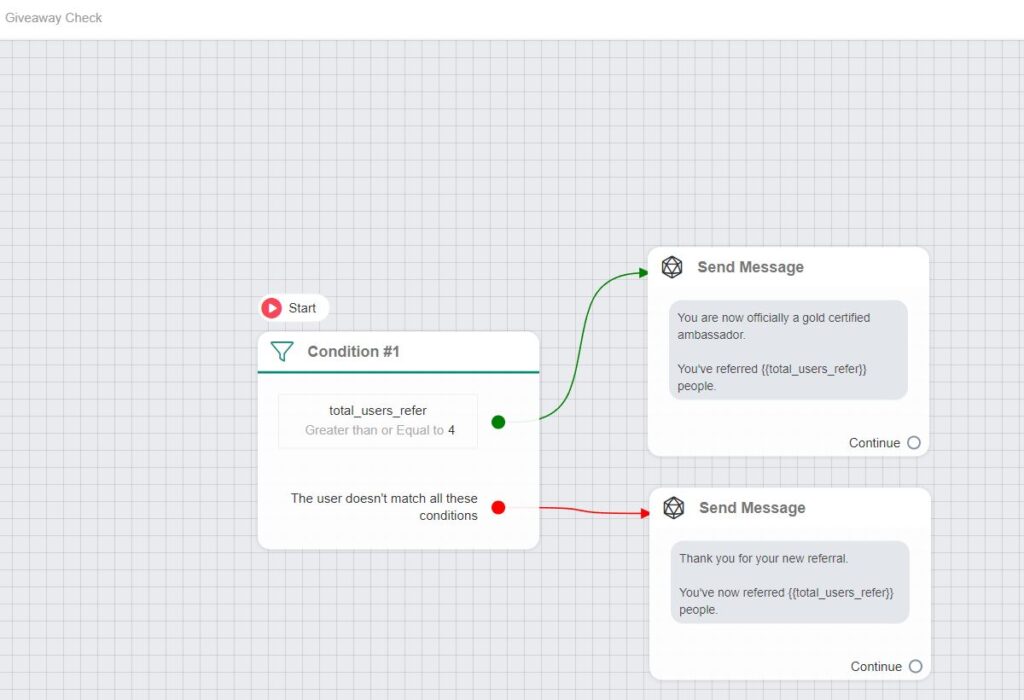
Here’s a typical setup:
✅ Flow 1:
- Sends the user their referral link.
✅ Trigger:
- User referred a new/existing contact – increments the points.
✅ Flow 2:
- Checks if the user’s
referral_pointsmatch the reward criteria. - If yes, send a reward (e.g., coupon, thank-you message, or exclusive content).
You can create two separate triggers if you want to give different points for referring a new user vs. an existing user.
Example Summary
- ✅ Users get a unique link:
https://app.chitchatbot.ai/webchat/?p=xxx-account-id-xxx?ref=giveaway2025-c{{user_id}} - ✅ Chatbot sends this link to users.
- ✅ User shares it with friends.
- ✅ When a new or existing contact joins via the link, the trigger fires.
- ✅ Points are incremented, not overwritten.
- ✅ Another flow checks if the user is eligible for a reward.
This referral system setup makes it easy to turn your users into ambassadors—boosting your contact list and engagement with minimal effort! We have a very robust and expansive platform which means many use cases can implemented using different methods and techniques, experiment and see what works best for you.


