Navigate to Settings > Channels (Messenger, Instagram) > Persistent Menu
Click the “Edit” button on the persistent menu settings, you will get a setup wizard that allows you create a menu – for each button you can link to a flow or external URL.
Supported Channels
Currently, the persistent menu is supported on Messenger, Instagram, and Webchat.
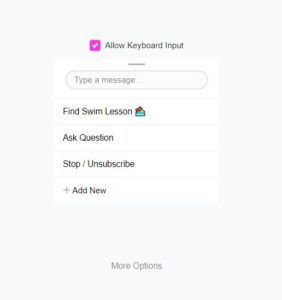
Web Chat Persistent Menu
Adding a persistent menu to your web chatbot is a slightly different process.
Settings > Web Chatbot > Manage > Click your Web Chatbot (or Add new one) > Persistent Menu > Add New